Top 5 Mobile Testing Frameworks in 2026: Which One Fits Your Stack?
Appium, Detox, XCUITest, Espresso, and Maestro each solve a different problem and break in different ways. Here's how to pick the right one for your stack, plus where autonomous testing fits in the AI era.

I’ve tested mobile apps with Appium, Detox, XCUITest, Espresso, and Maestro. Each one solves different problems. Each one breaks in different ways.
The framework that works for a React Native team shipping daily won’t work for an enterprise QA team managing 50 Android devices. The tooling that gets you tests in minutes might cost you hours in maintenance.
Here’s what I learned evaluating mobile testing frameworks across iOS, Android, and cross-platform projects. The framework question itself is changing in the AI era, and that matters for how you choose today.
What you’ll learn
- What mobile app testing is and the five challenges that make it hard
- Honest breakdown of five major mobile testing frameworks
- When to use each framework based on your stack and what you’re willing to trade off
- Why AI-assisted development has outpaced the selector-based testing model
- Where autonomous testing fits alongside these frameworks, not instead of them
What Is Mobile App Testing?
Mobile app testing is the practice of verifying that your iOS and Android apps work correctly under the real conditions users encounter. The manual version of that job doesn’t scale. Teams ship daily, devices multiply, and OS fragmentation keeps growing.
Automated frameworks solve the scaling problem. They let you encode what “working correctly” looks like and verify it on every build. But there are five structural problems that make mobile automation harder than it looks, and every framework in this guide represents a different set of trade-offs against them.
Five Challenges That Make Mobile Automation Hard
- Device and OS fragmentation: Apps run across thousands of device and OS combinations. A test that passes on one device configuration can fail on another.
- Test instability: Timing issues, async rendering, and animation interference cause tests to fail without any change to the app itself.
- Selector maintenance: Most frameworks find UI elements via XPaths, resource IDs, or accessibility identifiers. When the UI changes, those identifiers break.
- Platform divergence: iOS and Android behave differently. Separate frameworks, separate test logic, separate maintenance burden.
- CI/CD integration: Tests need to run on every build, on real or emulated devices, fast enough to not block deployment.
Different frameworks make different trade-offs across these challenges, and none eliminates all of them. What each one does is reduce the surface area of a specific problem. Understanding which constraint is costing your team the most is how you choose which trade-off to accept.
Top 5 Mobile App Testing Frameworks
Here’s what I’ve found from working with each framework in real projects, across enterprise apps, React Native, and native iOS and Android codebases.
1. Appium: The Cross-Platform Standard
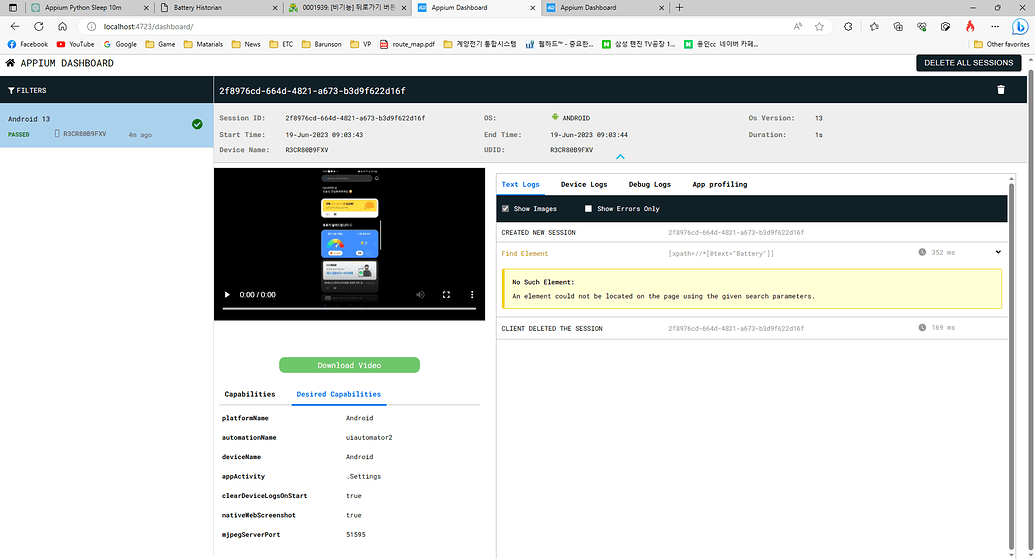
Appium is the default choice when you need one test suite for Android, iOS, and potentially Windows. It uses the WebDriver protocol. If you’ve written Selenium tests, Appium feels familiar.
What Appium Does Well
Appium supports multiple programming languages (JavaScript, Python, Java, Ruby, .NET) and works with native, hybrid, and mobile web apps. You write tests once and run them across platforms by swapping capabilities.
The ecosystem is mature. Device cloud integrations with BrowserStack, Sauce Labs, and AWS Device Farm are well-supported. CI/CD documentation is thorough. If you’re testing a complex enterprise app with web views, native components, and platform-specific behaviors, Appium handles all of it.
Where Appium Struggles
Setup is heavy. Appium Server installation, platform-specific driver configuration (UiAutomator2 for Android, XCUITest for iOS), device and emulator management, dependency versioning. Initial setup typically runs one to two days end-to-end.
Test stability is Appium’s biggest weakness. Tests depend on element locators (XPaths, accessibility IDs, resource IDs). When the UI changes, locators break. Elements load at different speeds, animations interfere with interactions, and implicit waits don’t always catch what you expect. Most teams underestimate this until they’re a sprint behind on selector updates.
Maintenance overhead compounds with test suite size. The time spent updating selectors and adding explicit waits grows proportionally to how fast the product ships.
When to Use Appium
- You need true cross-platform coverage (Android + iOS + web views)
- You’re testing hybrid apps with complex UI hierarchies
- Your team already knows Selenium/WebDriver patterns
- You have the resources for initial setup and ongoing selector maintenance
2. Detox: The React Native Specialist
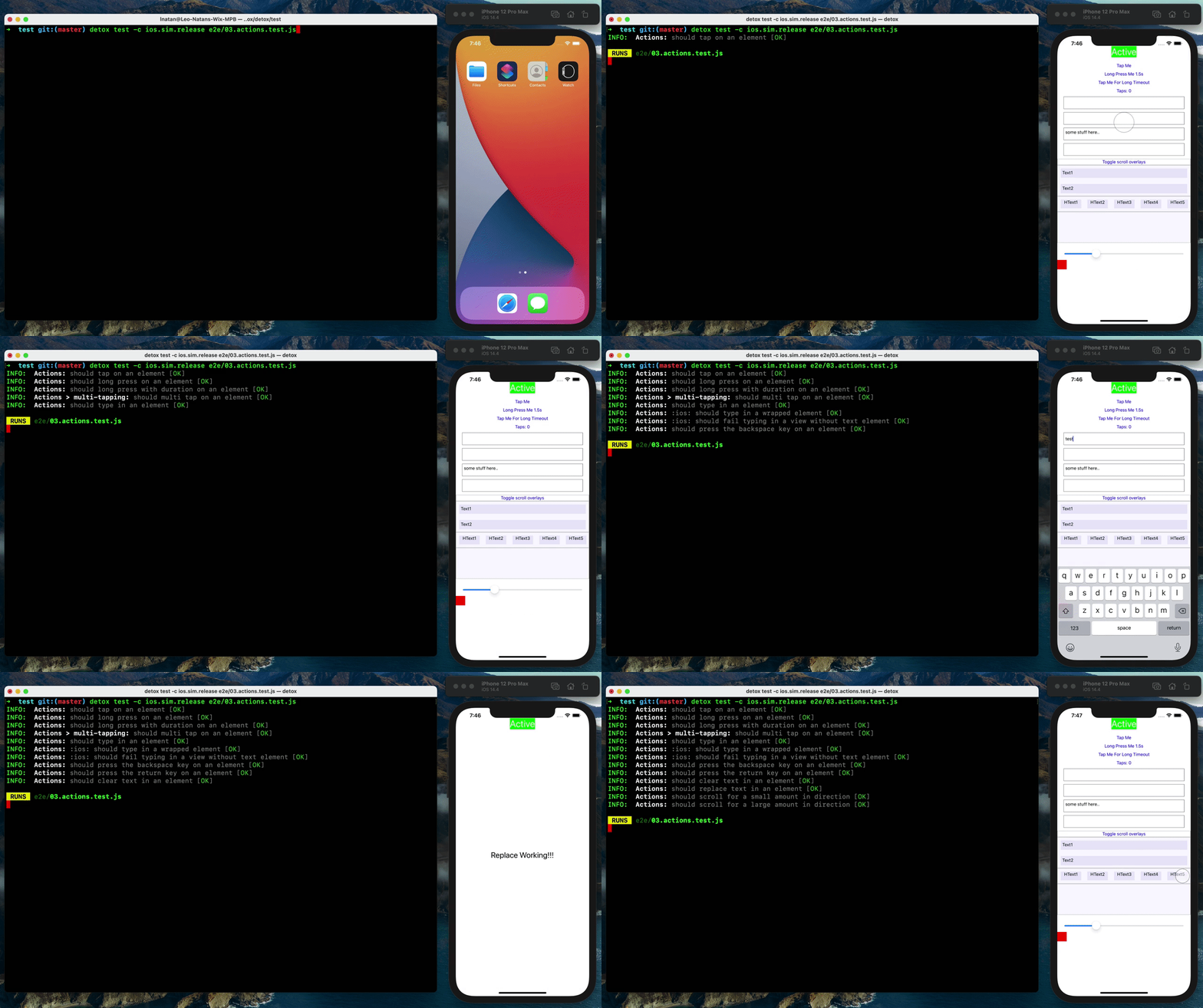
Detox was built specifically for React Native apps. It runs tests inside the JavaScript runtime, which gives it synchronization advantages other frameworks don’t have.
What Detox Does Well
Detox automatically synchronizes with React Native’s rendering and network activity. It waits for animations to complete, for the UI to settle, and for network requests to finish before proceeding with test actions. Manual waits and retry logic disappear, and those are the two main sources of brittle tests in every other framework.
Setup is faster than Appium. If you’re already in a React Native codebase, adding Detox takes hours, not days. Tests are written in JavaScript using Jest, so your mobile and web testing can share patterns.
Where Detox Struggles
It is built primarily for React Native. If you have native iOS or Android code, Detox can’t test it. Flutter apps and purely native codebases are out.
The tight coupling to React Native’s internals means Detox updates can lag behind React Native releases. When React Native ships a breaking change, Detox tests can break until maintainers catch up.
When to Use Detox
- You’re building a React Native app
- Fast iteration and test stability are priorities
- You’re willing to trade platform flexibility for stability
- Your team is comfortable with JavaScript testing tools
3. XCUITest: The iOS Native Framework
XCUITest is Apple’s official UI testing framework for iOS. It’s built into Xcode and integrates directly with Swift and Objective-C codebases.
What XCUITest Does Well
XCUITest has deep iOS integration. You can test app extensions, widgets, Siri shortcuts, and other iOS-specific features that third-party frameworks struggle with. Tests run in the same simulator or device environment as your app, with full access to iOS accessibility APIs.
Recording test flows in Xcode is straightforward. You can record interactions and generate test code, then refine it manually. For teams already in the Apple ecosystem, there’s no additional tooling to install.
Where XCUITest Struggles
Reliability is a persistent problem. XCUITest tests are notoriously unreliable as suites grow. Timing issues, animation interference, and element query failures are common complaints across the iOS testing community.
Tests run in a separate process from the app, and communication overhead adds up. Large suites in CI/CD can take hours, making fast feedback loops difficult to maintain.
Tests are written in Swift or Objective-C only, so there’s no test code sharing with Android. Two platforms, two separate test suites, double the maintenance.
When to Use XCUITest
- You’re iOS-only (no Android equivalent)
- You need to test iOS-specific features (widgets, extensions, Siri)
- You’re already deep in the Xcode ecosystem
- You have the resources to handle reliability issues and slow execution
4. Espresso: The Android Native Framework
Espresso is Google’s official UI testing framework for Android. It integrates with Android Studio and the Gradle build system.
What Espresso Does Well
Espresso is fast. Tests run in the same process as the app under test, which eliminates the inter-process communication overhead that slows down Appium and XCUITest. In CI pipelines, it’s the fastest native Android option by a significant margin.
The API is straightforward. Synchronization with Android’s UI thread is automatic: Espresso waits for the UI to be idle before executing actions, which reduces instability compared to frameworks that rely on manual waits.
If you’re familiar with Android development in Kotlin or Java, writing Espresso tests feels natural.
Where Espresso Struggles
It only works on Android. A separate test suite for iOS means doubling your maintenance effort if you’re cross-platform.
Espresso tests are tightly coupled to the app’s implementation. You need access to the codebase and build configuration, which doesn’t work for teams testing third-party apps or working in a true black-box environment.
Some test instability remains, primarily from animation timing and asynchronous UI updates. In-process execution helps significantly, but doesn’t eliminate timing-based failures entirely.
When to Use Espresso
- You’re Android-only
- Test execution speed is critical (large suites in CI/CD)
- You have access to the app’s codebase
- You’re comfortable with Java/Kotlin testing patterns
5. Maestro: The Fast Setup Contender

Maestro is a newer framework (launched in 2022) that prioritizes ease of use and test stability. It’s gained significant community traction because setup takes minutes instead of days.
What Maestro Does Well
Setup is remarkably fast. Install with a single command, point it at your app, start writing tests in YAML. No complex configuration, no platform-specific drivers, no dependency hell.
The framework handles synchronization intelligently, waiting for elements to appear and animations to complete without manual intervention. Manual waits are rarely needed, which removes one of the primary sources of brittle tests in other frameworks.
Maestro supports Android, iOS, web, React Native, and Flutter from the same test syntax. That broad platform coverage without Appium’s setup burden makes it compelling for teams who need both.
Where Maestro Struggles
It’s relatively new. Fewer production case studies and less battle-testing at scale compared to Appium or Espresso.
The YAML-based test syntax is simple for basic flows but can get verbose for complex scenarios. Teams comfortable with code-based testing may find it limiting.
Advanced customization is harder. Appium’s ecosystem of plugins and extensions is mature. Maestro is catching up, but gaps remain in edge-case handling and integration with niche CI/CD platforms.
When to Use Maestro
- You need cross-platform coverage without Appium’s complexity
- Fast onboarding is a priority (new team members, rapid prototyping)
- Low setup overhead matters more than advanced customization
- You’re willing to bet on a newer framework with strong momentum
Decision Framework: When to Use What
After working with all five in real projects, the decision usually comes down to four questions. What’s your app stack? What’s currently breaking your releases? What does your team already know? And how much setup time can you absorb before the next sprint starts? Your answers cut the list from six to one. Work through the scenarios below in order. The first that matches your situation is your answer.
If You Need Cross-Platform Coverage
Appium is the safest default. It’s been in production for over a decade, supports every major platform, and has a massive ecosystem. The setup and maintenance burden are real, but you get flexibility in return.
Maestro is the faster alternative if you’re willing to trade ecosystem maturity for ease of use. If your test scenarios are straightforward and you don’t need deep customization, Maestro gets you running in a fraction of the time.
If You’re Platform-Specific
Espresso (Android) and XCUITest (iOS) are the native choices. They integrate directly with platform tooling and give you access to features third-party frameworks can’t touch.
The catch is maintaining separate test suites for each platform. If your app has complex business logic that needs validation on both iOS and Android, you’ll write that logic twice.
If You’re React Native
Detox is the obvious pick. It’s built for React Native, synchronizes automatically with the framework’s internals, and delivers the strongest stability of any framework in this comparison.
The limitation is that Detox is built primarily for React Native. If you have native modules or platform-specific code outside React Native’s scope, you’ll need a supplementary framework for those cases.
If Test Stability Matters Most
Detox and Maestro address the root causes of test instability (timing issues, animation interference, element visibility) more effectively than Appium or XCUITest, because both build synchronization into the framework rather than leaving it to the test author.
If Maintenance Is the Bottleneck
All five frameworks operate on the same model. You write selectors, the framework finds elements, you script interactions. When the UI changes, selectors break.
Pie tests through the screen, not through selectors. Instead of relying on element IDs or XPaths, it uses vision-based models to understand the UI like a human would. Selector maintenance disappears entirely, and tests adapt when the UI changes. Self-healing test automation, built into the architecture from day one.
If your bottleneck is test creation and maintenance rather than framework capabilities, autonomous testing solves a fundamentally different problem.
Not Sure Which Framework Fits?
See how Pie's vision-based testing works alongside the frameworks above. Book a 20-minute walkthrough.
Book a WalkthroughWhy Traditional Frameworks Are Struggling to Keep Up
Every framework in this guide was designed around the same assumption. A developer or QA engineer writes each test case. One feature, one test. One UI change, one selector update. The loop was manageable because the pace of shipping was manageable. AI coding tools ended that loop.
Code that previously took a sprint now ships in an afternoon. “Vibe coding” (writing software by describing intent to an AI model) has compressed development cycles to the point where test coverage can’t keep pace using traditional frameworks. You’re scripting locators for a component that’s already been redesigned.
The pattern is consistent across teams I’ve talked to:
- Selector updates that outlast the sprint that introduced the change
- Test suites that fail on every design refresh, not every regression
- Engineers who’ve deprioritized testing because the backlog of broken selectors is longer than the feature queue
- Coverage gaps that grow not because testing is hard, but because writing tests has become the bottleneck
The mismatch is structural, not a discipline problem. Every new feature needs new tests. Every UI change breaks existing selectors. The maintenance backlog compounds faster than a human test-writing workflow can drain it.
These frameworks are powerful tools, but they were built for a world where code was written by hand, one function at a time. When a single session with an AI model produces weeks of feature work, the bottleneck shifts. It’s no longer “can we automate testing?” It’s “can we write tests fast enough to keep up with the code we’re shipping?”
It’s a different problem. And it requires a different answer.
How Pie Does Mobile Testing Differently
Pie doesn’t replace the frameworks above. It operates at a different layer, and for teams where maintenance has become the constraint, it changes the equation.
What Pie Gets Right
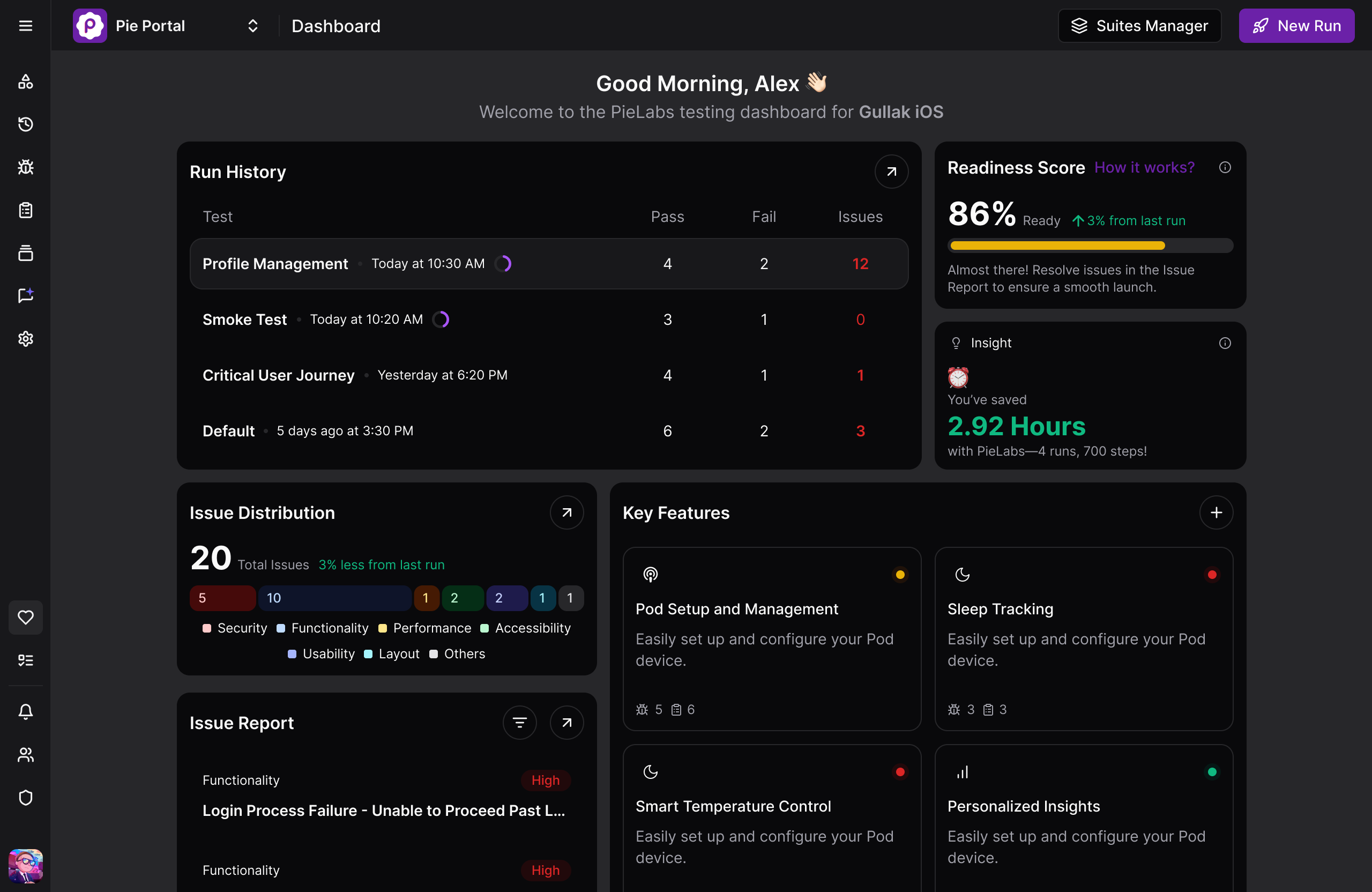
The fundamental difference is what tests are anchored to. Every framework in this guide anchors tests to selectors: XPath expressions, resource IDs, accessibility identifiers. When the implementation changes, the anchor breaks.
Pie anchors tests to what’s on the screen. It uses a vision model and bounding box detection to understand the app from screenshots, not element hierarchies. Tests don’t reference any selector. The model looks at the rendered UI, the same way a human tester does.
Four practical changes follow from that architecture:
- When your UI changes, tests don’t break. There are no selectors to update.
- Timing instability is eliminated architecturally. Instead of hardcoded waits, an LLM evaluates each screenshot and determines whether the screen is ready before acting. No more failures from animations that hadn’t finished.
- Discovery is autonomous. You upload the app, Pie navigates it, maps the flows, and generates test coverage. You don’t write the first test; Pie does.
- One run covers iOS and Android without platform-conditional test logic.
Using Pie Alongside These Frameworks
The choice isn’t either/or. The teams getting the most value use Pie and a traditional framework in tandem.
Pie handles:
- Broad discovery coverage across all app flows
- Regression testing after every build or PR
- Coverage for frequently-changing flows (Pie adapts; selectors don’t)
Traditional frameworks handle:
- Performance benchmarks and load testing
- Security and backend-layer validation
The transition usually starts with Pie covering the flows that are breaking your selector-based suite most often. Over time, as the maintenance cost of those tests grows, more coverage shifts to autonomous testing. Existing frameworks stay where performance benchmarks, security validation, or platform-native depth is the requirement.
Stop Maintaining, Start Testing.
Each framework in this guide is a precision tool. Appium for enterprise cross-platform depth. Detox for React Native stability. Maestro for teams who need coverage running fast. Each earns its place.
But all five were designed for a development pace AI tools have fundamentally changed. When shipping velocity has outrun the capacity to write and maintain selectors, the framework question gives way to a different one.
Pie handles that shift. Our autonomous testing platform can run discovery from day one while keeping coverage current as your product changes, across iOS and Android, without selector updates. There’s no single answer for every team. But you now have enough signal to stop debating and start shipping.
See How Pie Works Alongside Your Stack
A 20-minute walkthrough showing how teams run Pie with their existing frameworks, not instead of them.
Book a DemoFrequently Asked Questions
Maestro has the fastest learning curve for traditional frameworks. Setup takes minutes, tests are written in YAML, and configuration complexity is low. If you want to skip writing tests entirely, Pie handles test generation automatically from your first run. You upload the app and Pie maps the flows and writes the coverage. Either way, you're running tests in under an hour.
Yes, but with caveats. You write one test script and swap platform capabilities to run on Android or iOS. In practice, platform-specific differences in element hierarchies, gestures, and permissions often require conditional logic or separate locators, so true code reuse is closer to 70-80%. If you need genuinely identical test logic across both platforms, Pie is worth considering. Vision-based testing reads the rendered screen on iOS and Android the same way, with no platform-specific selector paths.
XCUITest runs in a separate process from the app, which introduces timing issues. Queries for UI elements can fail if the UI hasn't fully rendered, and there's no built-in synchronization with animations or async operations. Manual waits help but don't eliminate the problem.
Yes, if you're React Native. Detox's synchronization engine handles async rendering in a way most frameworks don't, which is why large Detox suites tend to be stable. The limitation is that Detox is built primarily for React Native. If you need coverage across native iOS, Android, and React Native without managing multiple frameworks, Pie runs a single test suite across all of them with no selector maintenance.
Maestro integrates with GitHub Actions, CircleCI, Jenkins, and other CI/CD platforms. Setup is faster than Appium because there are fewer dependencies. Appium has more mature cloud device integrations with major device farm providers, so if you need broad device farm support, Appium has the edge.
Traditional frameworks (Appium, Espresso, XCUITest) execute the tests you write. You script interactions using selectors, and when the UI changes, you update the selectors. Pie tests through the UI using vision-based models. It explores your app, generates tests automatically, and adapts when the UI changes. Traditional frameworks give you precise control over specific scenarios. Pie gives you broad coverage that stays current without maintenance.
Yes. Some teams use Espresso for Android, XCUITest for iOS, and Maestro for quick smoke tests. The cost is managing multiple test suites and toolchains. It works best when each framework solves a distinct problem, for example native platform testing alongside cross-platform smoke tests.
With selector-based frameworks (Appium, Espresso, XCUITest), expect significant time spent updating tests when the UI changes. Maestro and Detox reduce this with better synchronization. Autonomous platforms like Pie eliminate selector maintenance entirely. The workflow shift from scripting selectors to describing user intent is typically the fastest part of the transition.
Yes, and that's how most teams start. Pie handles broad discovery coverage, regression testing, and the frequently-changing flows that break selector-based tests. Your existing framework stays where it has natural advantages in performance benchmarks, security-layer validation, and platform-native depth. Over time, as the maintenance cost of selector-based tests grows, more coverage shifts to Pie.
Eight years building search and delivery systems at Amazon. The kind of scale where flaky tests block billion-dollar releases. Now CTO at Pie, building AI agents that adapt when your UI changes. LinkedIn →