iOS vs Android Testing: Why You Need Both (And How to Share 90% of the Work)
Face ID and back gestures need platform-specific tests. Almost nothing else does. Where iOS and Android testing actually differs in 2026, and how to share the rest.

An iOS build never runs on an Android device. The constraint lives in the packaging, not in the test logic, and treating those as the same problem is why most teams end up maintaining two suites for one product.
The part that has to be written twice is short. Face ID against fingerprint. The edge swipe against the back gesture. The permission dialog and the home-screen widget. Login validation, checkout, and your pricing math do not change with the operating system. Aim for 10% platform-specific and 90% shared. Most teams invert that by accident, because XCUITest on one side and Espresso on the other make duplication the path of least resistance.
What you’ll learn
- Where iOS and Android testing diverges in 2026, and which gaps need their own test code
- Why AI-generated code raises the cost of a duplicated suite
- 7 tools that cover both platforms, and three ways to share the 90%
Where iOS and Android Testing Actually Differ
Six dimensions separate the two platforms. Four of them change how you write a test, and those four get their own treatment below the table. The other two change who on your team can run it and how fast a fix reaches a user. Underneath all six, the flows and rules you are validating are shared.
| Dimension | iOS | Android | What it means for testing |
|---|---|---|---|
| Device landscape | One vendor controls hardware and OS, and the supported-device list is short enough to read end to end | Thousands of models across many manufacturers, each shipping its own skin (Samsung One UI, Xiaomi HyperOS) | Android needs a device matrix sized from your own analytics. iOS coverage lands with a handful of devices |
| OS-version adoption | 79% of all Apple devices ran iOS 26 by June 2026 (Apple) | Android 16 led at 25.8% in August 2026, with four older versions still above 10% each (Statcounter) | iOS lets you target one version. Android forces a matrix of live versions at once |
| Native UI framework | XCUITest | Espresso and UI Automator | Separate framework, language, and CI setup per platform |
| Test process access | Test code runs as a separate process with no access to your app’s internal methods or variables | Espresso runs alongside app state. UI Automator is the out-of-process option | An iOS failure hands you less internal signal than the same failure on Android |
| Store review | Human review. Apple reports 90% of submissions reviewed in under 24 hours | No published hours-scale turnaround. Google warns extended reviews can run 7 days or longer | Neither store is a safety net. Regression has to catch the bug before you submit |
| Dev environment | Xcode on macOS only | Android Studio on Windows, macOS, or Linux | Windows and Linux QA cannot run iOS tests locally |
OS-Version Adoption Is the Difference Most Teams Underweight
Apple users update fast, and Apple publishes the numbers. 79% of all Apple devices were running iOS 26 by June 2026, rising to 86% of devices introduced in the last four years. Target the current version and you have covered most of your install base.
Android does not concentrate like that. Android 16 led at 25.8% in August 2026, and Android 15, 14, 13 and 12 each still held double-digit share. Five live versions, each carrying a manufacturer skin on top, all of them in front of real users at the same time. Your Android suite has to pass on all of them. Your iOS suite has one target that matters.
Google retired the public Android version-distribution dashboard. The page that carried it now publishes only Vulkan and OpenGL ES figures and points you at the Reach and Devices report inside Play Console.
Android Fragmentation Creates Coverage Gaps
Your app can pass on a Pixel and crash on a Galaxy running the same Android version, because Samsung’s One UI renders views differently than stock Android does. Users do not care whose bug it is. They see your app crash.
The bar is unforgiving and Google states it plainly. An app is flagged as showing bad behavior once 1.09% of daily active users hit a user-perceived crash, and Google says outright that this affects your discoverability on Play.
iOS fragmentation is minimal by comparison, because Apple controls both halves of the stack, so a handful of devices covers most of your users. Android needs a representative matrix sized from your own analytics, and it will still leak edge cases on skins you did not test. Our mobile app testing guide covers how to build that matrix.
iOS Sandboxing Restricts Test Access
XCUITest drives your app from outside its own process, reaching the UI through the accessibility layer with objects like XCUIApplication and XCUIElement. It never sees your app’s internal methods, functions, or variables, which is a deliberate design choice by Apple and a permanent constraint on your debugging. When a test fails you are working with less information than you want. Need to confirm a network request fired? You expose it through the UI or a test-only hook. We pull that framework split apart properly in Espresso versus XCUITest.
Android draws the same line, but it draws it in the tooling instead of in the platform. UI Automator is the out-of-process option; Espresso is its in-process counterpart, which is why an Espresso failure can tell you more about why it failed. The asymmetry is practical, not academic. The identical failing assertion hands you a richer signal on Android than on iOS, and your iOS test design has to account for it.
Platform UI Conventions Are the Genuine 10%
Platform conventions are the one place separate test code is unavoidable. iOS users expect edge-swipe navigation, a persistent top bar, and Face ID as the default authentication. Android users expect a hardware-style back button, Material Design bottom navigation, and fingerprint auth. Testing Face ID needs iOS-specific code. Testing back-button navigation needs Android-specific code. Neither can be abstracted without losing fidelity, and neither should be.
This is the 10% that earns its separate tests. The mistake is letting it convince you the other 90% needs writing twice as well.
Why AI-Generated Code Raises the Stakes in 2026
Five Things Change at Once
- Volume goes up: Generating a screen is now cheaper than deciding whether you needed it.
- Duplication goes up with it: A model asked for a settings page writes you a fourth one instead of finding the third.
- Shared logic leaks into both clients: A model writes self-contained code. It does not know your validation rule already lives in one shared module, so it reimplements the rule in Swift, then again in Kotlin, and the 90% you were counting on gets smaller without anyone deciding that.
- The two builds drift out of parity: Nothing in the generation step enforces that the iOS screen and the Android screen behave the same. Prompt for the same feature twice and you get two implementations with their own edge cases, a class of bug that only surfaces when one flow definition runs against both builds.
- Identifiers churn on every regeneration: When a model reworks a screen, the view hierarchy it hands back is rarely the one your tests were bound to. Accessibility IDs and element positions come out different, and different again on the other platform, so a selector-bound suite breaks twice per change.
What the Numbers Show
- Uplevel: Compared 800 developers with and without GitHub Copilot access and found a 41% increase in bugs in pull requests for the group using it.
- GitClear: Tracked code-quality signals from 2023 through 2026 and found duplicated code blocks up 81% against the 2023 baseline, while moved code, the signal that someone refactored instead of copying, fell to 3.8%.
Check it on your own repository before you take either study’s word for it. Count the screens that landed last quarter, then count how many are structurally the same screen. Each one is a flow somebody now verifies on iOS and again on Android. Duplicate the test logic as well and you are multiplying one duplication by another. The teams absorbing this well keep the flow logic in one place and use tests that adapt when the UI moves, so a generated redesign never turns into a two-platform selector migration.
7 Tools That Test Both iOS and Android
1. Pie (Vision-Based Autonomous Testing)
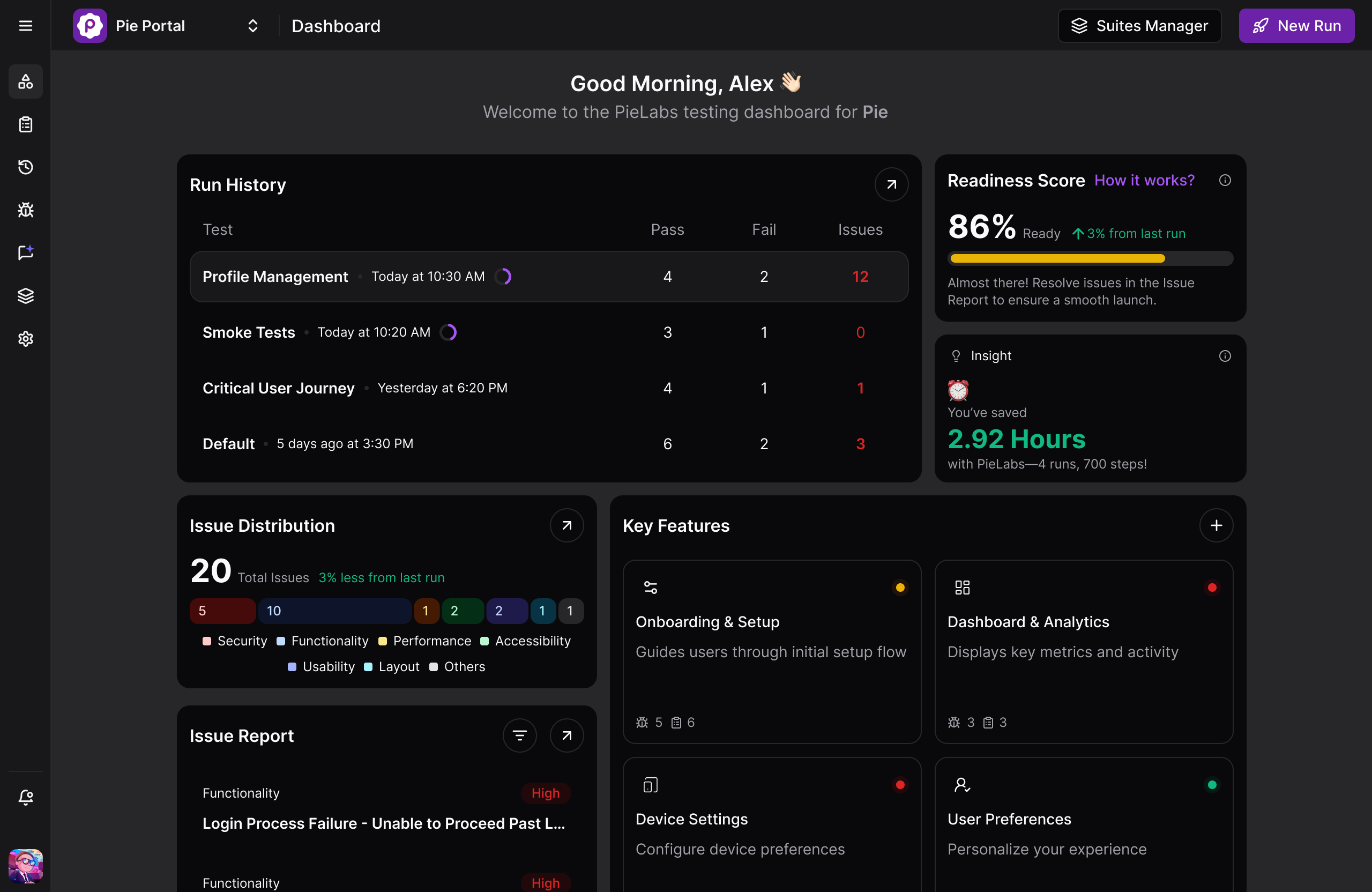
Pie tests iOS and Android without platform-specific selectors. A vision model looks at the screen and decides where to tap, so whether the control underneath is a UIButton or a MaterialButton never enters into it. You describe the flow once and Pie runs it against both native builds. When the design team reships the login screen there is nothing to repair in two codebases, because there were no selectors to break.
Self-healing is a different mechanism, and several device clouds now ship it. Self-healing repairs a locator after it breaks. Vision-based execution never binds to one in the first place. Fi runs Pie across both its builds, and the gap between having a release candidate and having it fully tested went from two to three days down to a few hours.
Two limits worth naming before you read the rest of the list. Pie runs native mobile on iOS simulators and Android emulators rather than a physical device lab, so pair it with one of the clouds below when you need to catch thermal throttling or a camera driver. And for the genuine 10%, Face ID against fingerprint, you still write platform-specific tests.
2. Appium (Cross-Platform Automation)
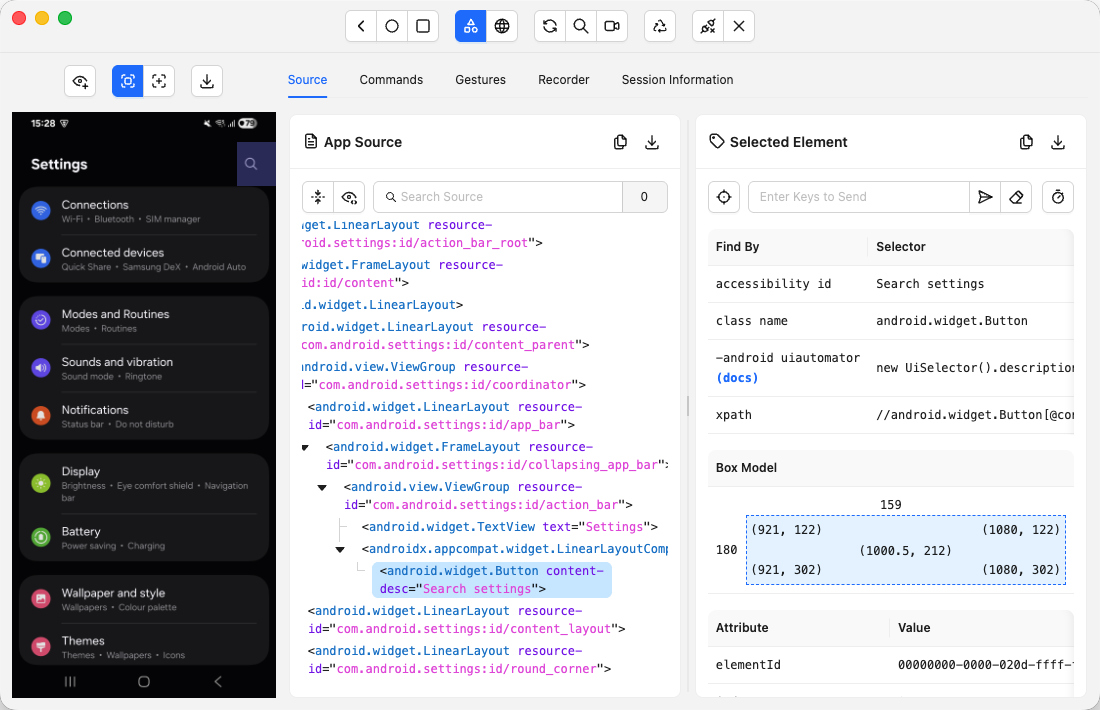
Appium exposes WebDriver-compatible APIs that drive XCUITest on iOS and UiAutomator2 on Android. An Espresso driver exists too, but it needs an instrumented build, so UiAutomator2 is the path most teams actually take. One codebase targets both platforms, and in practice you still write platform-specific locators wherever the two UIs diverge. The abstraction earns its keep for teams who already think in WebDriver. The cost is three layers to debug when a test fails. Appium is actively maintained and shipped 3.7.0 in August 2026.
3. Maestro (Cross-Platform Mobile)
Maestro runs cross-platform flows written as readable YAML with waits built in, which removes a lot of the timing flakiness that Appium setups accumulate. It identifies elements mainly by ID and text, so a redesign can still break a flow, though it has since added optional AI commands that assert against a screenshot when a standard selector cannot reach something. Our Maestro versus Appium comparison covers how the two trade off on setup and maintenance. The CLI shipped 2.10.0 in August 2026.
4. BrowserStack (Cloud Device Lab)
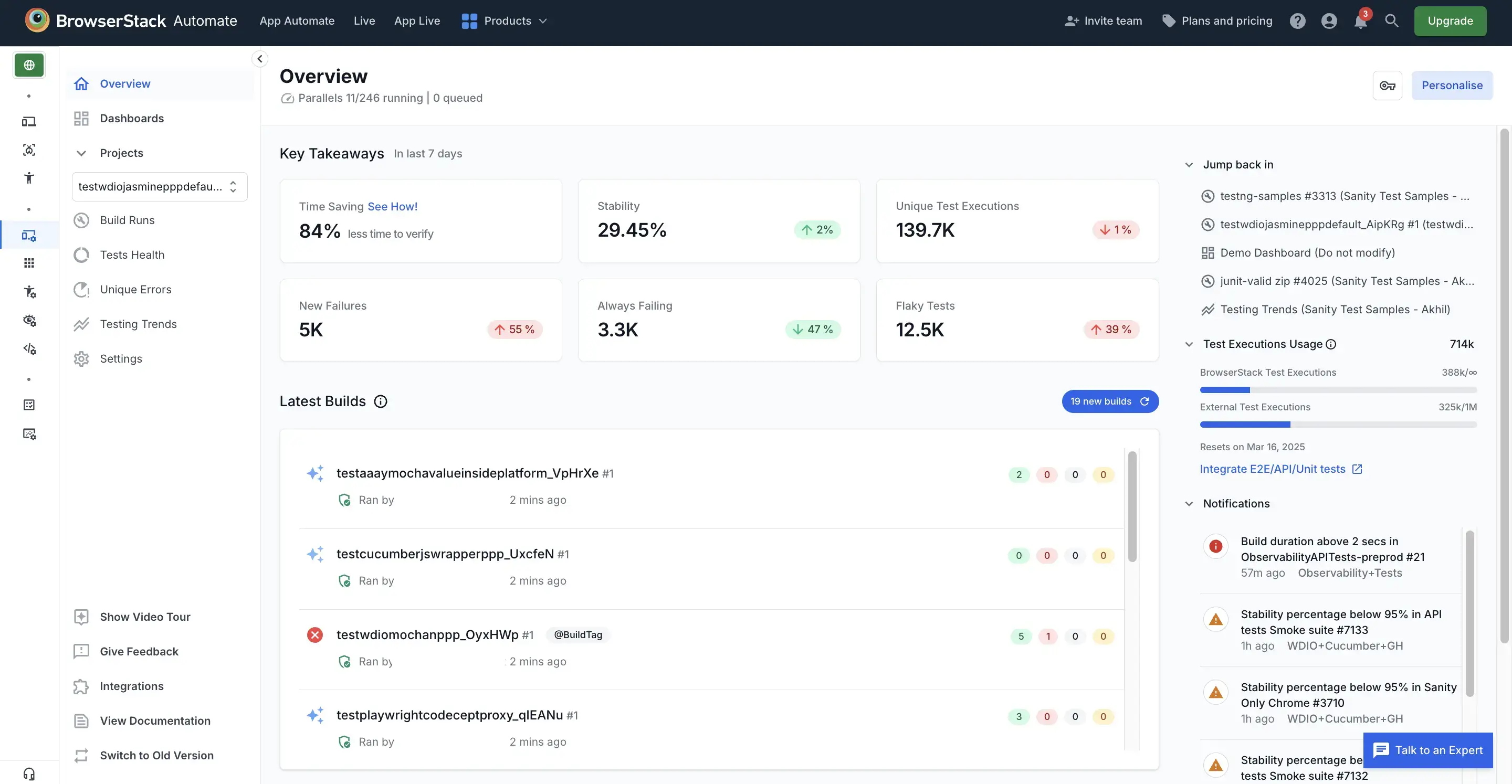
BrowserStack gives you a real-device cloud, 30,000 devices by its own count, so you cover the Android matrix without buying hardware. It runs Appium, Espresso, XCUITest, Flutter, Detox and Maestro, returns video, screenshots and network logs on failure, and now ships a self-healing agent that repairs broken locators. Plans are priced per parallel test slot with testing minutes included, so the constraint on running it against every commit is concurrency rather than clock time.
5. Sauce Labs (Cloud Device Lab)
Sauce Labs offers a comparable real-device cloud with the same framework coverage, and it now markets an AI layer that lets agents discover devices and manage test sessions in natural language. The choice between it and BrowserStack usually comes down to pricing model and which integrations your team already runs, not raw capability.
6. Applitools (Visual Comparison)
Applitools compares what renders rather than what the code says should render. Unlike pixel-diff tools, its visual AI is built to identify meaningful visual changes without the false positives that dynamic content otherwise produces. Because the comparison happens on screen output, the same approach carries from an iOS build to an Android one, and native mobile apps are covered on both. Intentional design changes still go to a human before the baseline moves.
7. Firebase Test Lab (Google’s Device Cloud)
Firebase Test Lab runs your build and test suite on Google’s device cloud and hands back results. It covers Android and iOS both, which surprises people who last looked at it a few years ago, and the no-cost tier gives you a small daily allowance of virtual and physical device runs. It is the cheapest way to widen a device matrix before you start paying for one.
TestFlight is deliberately not on this list. It distributes builds to testers and collects crash feedback across Apple platforms, which makes it a release step rather than a testing tool, and it never touches Android. Wire it into your release flow. Do not count it as cross-platform coverage.
The pattern across the seven is not subtle. Tools that interact with the screen the way a person does travel across platforms. Tools bound to a platform’s element tree do not.
What You Can Share Across Platforms
Most of what you validate is identical on both platforms. The frameworks differ. The logic underneath does not. Three categories share cleanly.
Test Logic
Login validation is identical on iOS and Android. Valid credentials succeed, invalid ones fail, forgot-password works, sessions survive a restart. The business rule does not change with the operating system. Only the interaction syntax differs, XCUITest on one side and Espresso on the other, so the assertion itself belongs in shared code rather than in two parallel test files.
User Flows
Checkout runs the same sequence on both platforms. Add to cart, enter shipping, enter payment, confirm, see confirmation. The visual chrome differs; the steps, validations, and expected outcomes do not. Define the flow once and let platform adapters translate it into native commands. Getting this layer right is most of what separates a maintainable suite from a duplicated one, and it is the backbone of mobile test automation that survives a redesign.
Business Rules
Pricing rules, promo codes, tax math, and inventory checks all resolve against the same backend regardless of which mobile OS made the request. Your API does not store different data for iOS and Android users. Testing those rules once per platform duplicates the work for no coverage gain. Test the rules against shared logic, then verify on each platform that the client calls the backend correctly.
Three Ways to Cut Cross-Platform Duplication
Three approaches reduce duplication without giving up platform coverage. They are not mutually exclusive, and which one fits depends mostly on how much abstraction your team wants to own.
Option 1: Shared Test Logic With Platform Adapters
Write your flows, validations, and assertions in a shared layer, then build thin adapters that translate them into XCUITest or Espresso commands. When the login flow changes you edit one definition and both platforms inherit it. When only the iOS UI changes you touch the iOS adapter and leave the logic alone. The upfront cost is the abstraction layer you now own, and the cost of test maintenance is where most cross-platform suites spend their budget. It works best when your iOS and Android apps follow similar architectures.
Option 2: Visual Testing That Removes Selectors
Visual approaches compare or interpret what renders instead of querying element trees, which catches layout breaks and rendering bugs that selector tests miss entirely. Visual comparison tools work cross-platform but route every intentional redesign to a human for baseline approval. Vision-based interaction goes further. It uses computer vision to drive the UI rather than only to compare screenshots, which takes platform-specific selectors out of the equation and cuts the flaky tests that pass on one platform and fail intermittently on the other.
Option 3: Autonomous Testing That Figures Out the How
Traditional automation makes you specify the how. Find the button by ID, tap it, wait, assert. Autonomous testing removes that step. You describe what to verify, and the platform finds the login screen, enters credentials, submits, and checks the result, adapting to whatever UI it meets on either build. Name the tradeoff honestly. A model deciding where to tap is a stochastic system, which is why the useful version of this ships with a review layer rather than as a black box.
Keep the 10%, Stop Rewriting the 90%
The differences are real. Sandbox restrictions, device fragmentation, OS-version spread, and two separate store reviews all create work that exists only because there are two platforms. That work is the 10%.
The 90% is not platform work at all. It is your login rules, your checkout sequence, and your pricing math, and none of it knows which operating system placed the call. Teams running one suite are not ignoring the platform gap. They drew the line in the right place.
Pie draws it for you. Describe the flow once, and its vision model runs it against both builds and keeps running when the UI moves. Keep the 10%. Stop paying twice for the 90%.
Frequently Asked Questions
Partly. Platform-specific behaviors like Face ID, back-button navigation, and home-screen widgets need platform-specific tests, because they cannot be abstracted without losing fidelity. User flows, business logic, and validation rules are identical across both platforms.
Aim for roughly 10% platform-specific tests and 90% shared logic. Writing that shared 90% twice is the mistake most teams make, and the native frameworks quietly encourage it by giving you a different language on each side.
Not natively. XCUITest only runs on iOS and Espresso only runs on Android. Cross-platform frameworks like Appium and Maestro do span both, but the ones that identify elements by ID or text add an abstraction layer that breaks when the native frameworks or the UI change.
Tools that work from what renders on screen avoid that problem, whether they compare screenshots the way Applitools does or drive the UI directly the way vision-based platforms do.
Rank devices by your own analytics rather than industry averages, then test the top models on real hardware. Android version share is spread wide. As of August 2026 the leading version, Android 16, held about a quarter of devices, and four older versions still held double-digit share each, so there is no single OS baseline you can safely assume.
Use a cloud device lab to widen coverage beyond the handsets you own, and prioritize the manufacturer skins your users actually run rather than chasing raw model count.
Both, for different jobs. Emulators and simulators are fast and cheap for development and CI, and they catch most logic and layout bugs. Real devices catch hardware-specific failures in camera, GPS, biometrics, and performance under thermal load.
Run emulators continuously and reserve real hardware for release validation and exploratory testing. Cloud device labs such as BrowserStack, Sauce Labs, and Firebase Test Lab give you that hardware without buying it, which is usually cheaper than maintaining a device drawer.
Eight years building search and delivery systems at Amazon. The kind of scale where flaky tests block billion-dollar releases. Now CTO at Pie, building AI agents that adapt when your UI changes. LinkedIn →