Unit Testing vs Regression Testing: Which Bug Does Each One Catch?
A unit test can pass while the product breaks. See where unit and regression testing differ, and run one example in which a single test does both jobs.

You change a function to return cents instead of dollars and update its unit tests to match. All three pass. The cart that calls the function now totals $12000.00 where $120.00 belongs, and none of the tests for that function notice.
The two names sound like consecutive stages, but they answer different questions, and the cart bug lived between them. We wrote a small Python example that reproduces it. Every file below runs under pytest, so you can see which test catches the bug and pick the one your next bug needs.
What you’ll learn
- What each kind of test checks, who writes it and when it runs
- What a failure from each one tells you, shown in code you can run
- How one test ends up being both a unit test and a regression test
- Three questions that decide which test a bug needs
What Is the Difference Between Unit Testing and Regression Testing?
A unit test checks one small piece of code in isolation, and regression testing re-runs existing tests after a change to confirm that old behavior still works. The first names how much a test covers. The second names why it runs. One test can carry both names.
Unit testing lives at the bottom of the test pyramid. As Martin Fowler describes them, unit tests are low-level and focus on a small part of the system. Programmers write them with their regular tools, and they run much faster than other kinds of tests. Regression testing has nothing to say about size. The ISTQB glossary defines it as change-related testing that looks for defects introduced or uncovered in unchanged areas of the software.
Unit testing is almost like checking one part on the bench. Regression testing checks that the machine still starts after you swap a part, and the bench check can be one of the steps. The table sets the two side by side on the dimensions that matter on a red build.
| Dimension | Unit testing | Regression testing |
|---|---|---|
| Question | Does this function return the right result for this input? | Does everything that worked before survive this change? |
| Defined by | Scope, one function or class with little around it | Purpose, re-checking old behavior at any size |
| Who writes it | The developer, next to the code | Whoever wrote the original test, plus a new one when a bug is fixed |
| When it runs | On save and on every commit | After any change that could touch old behavior, such as a pull request, a merge or a release |
| Manual or automated | Automated, written in the same language as the code | Either, from a scripted suite in CI to a QA engineer working through a release checklist |
| What a failure tells you | One function and one input are wrong, at a line you can name | Something that used to work no longer does, and the cause could be anywhere in the change |
| What it cannot see | How the pieces behave together | Behavior nobody wrote a test for, including anything new |
An iOS engineer we spoke with described the same split on his team. The iOS developers wrote unit and integration tests, and the QA team kept its own regression tests. Nobody on the iOS team wrote a UI test.
Unit names a test’s size and regression names its job. A unit test that re-runs after every change is a regression test too.
Unit Testing vs Regression Testing in One Runnable Example
Four small files show the difference better than a definition can: a function, its unit tests, a caller, and a change that satisfies one set of tests and fails the other. Save them in one folder and run pytest, a widely used Python test runner.
Write the Unit Tests With the Function
On day one a developer writes apply_discount and three tests beside it. Each test calls the function once and asserts one behavior.
# pricing.py
def apply_discount(price, percent):
    """Return the price in dollars after taking percent off."""
    if not 0 <= percent <= 100:
        raise ValueError("percent must be between 0 and 100")
    return round(price * (1 - percent / 100), 2)
# test_pricing.py
import pytest
from pricing import apply_discount
def test_takes_twenty_percent_off():
assert apply_discount(100, 20) == 80
def test_zero_percent_changes_nothing():
assert apply_discount(100, 0) == 100
def test_rejects_percent_over_100():
with pytest.raises(ValueError):
apply_discount(100, 120)Run pytest test_pricing.py and the last line reads 3 passed. These are unit tests by size: one function, no collaborators.
Add the Caller and a Test Through the Cart
A sprint later, another developer builds the cart total on top of the function. The new test calls cart_total, which calls the real apply_discount, so it checks two modules working together. That makes it an integration test that asserts the text a shopper reads.
# checkout.py
from pricing import apply_discount


def cart_total(prices, percent):
    discounted = [apply_discount(p, percent) for p in prices]
    return f"Total: ${sum(discounted):.2f}"
# test_checkout.py
from checkout import cart_total
def test_cart_total_shows_discounted_sum():
assert cart_total([100, 50], 20) == "Total: $120.00"The full pytest run now ends in 4 passed.
Change the Function, Rewrite Its Tests, Run Everything
A third developer decides money should travel as whole cents. They change apply_discount to return cents, update the two tests that assert a value to 8000 and 10000, and leave the over-100 test as it was.
# pricing.py after the change
def apply_discount(price, percent):
    """Return the price in cents after taking percent off."""
    if not 0 <= percent <= 100:
        raise ValueError("percent must be between 0 and 100")
    return round(price * 100 * (1 - percent / 100))
The unit tests alone print 3 passed. A full run prints this:
FAILED test_checkout.py::test_cart_total_shows_discounted_sum - AssertionErro...
1 failed, 3 passed in 0.15s
The cart test did not change this sprint. It asserts what the shopper read last sprint, and it disagrees with the new code, because cart_total now adds cents and formats them as dollars. The three unit tests pass because they were rewritten alongside the function. They check apply_discount against its new contract, and nothing in them knows a caller exists.
Run the Old Tests Against the New Code
Skip the test rewrite and run the same change against the original files. Three tests fail:
FAILED test_checkout.py::test_cart_total_shows_discounted_sum - AssertionErro...
FAILED test_pricing.py::test_takes_twenty_percent_off - assert 8000 == 80
FAILED test_pricing.py::test_zero_percent_changes_nothing - assert 10000 == 100
3 failed, 1 passed in 0.16s
Two of the three failures come from unit tests. Nobody called them regression tests when they were written, and here they do a regression test’s job: old tests, new code, a change in behavior reported. The failures also differ in what they hand you. The unit failure shows 8000 = apply_discount(100, 20), which names the function and the input. The cart failure names a symptom, a wrong total, and leaves you to find which change in the last merge caused it.
Test the Cart a Shopper Sees
Keep your unit tests. Add Pie for the flows they cannot reach.
How a Unit Test Turns Into a Regression Test
Can a unit test and a regression test be the same test? They can, because the two words sit on different axes. Every test starts life checking new behavior and becomes a regression test the next time it runs after a change.
| Size of the test | Written for new behavior | Re-run to protect old behavior |
|---|---|---|
| Unit-sized | The three pricing tests on the day apply_discount shipped | The same three tests after the cents change |
| Wider than a unit | test_cart_total_shows_discounted_sum on the day it was added | The same test after the cents change, where it failed |
While you write apply_discount, pytest test_pricing.py is unit testing new code. After next sprint’s change, the same file does regression work, though not one line of it changed. Only the trigger moved, and the job moved with it.
A suite also grows from bugs. When one is fixed, the test that reproduces it joins the regression suite, so the same failure cannot return unnoticed. Unit regression is one of the seven common types of regression testing, and it covers this case, re-running one unit’s tests after a change.
A unit test proves the function, and the regression run proves the product behaves as before.
Which One Should You Write? Three Questions
Three questions settle which test a given bug or feature needs, and they can all be answered from the code and its history.
- Size: Can one function and one input show the problem? Write a unit test. It runs in milliseconds and the failure names the line.
- History: Did this behavior work before, and could a change elsewhere break it? Keep the test in the suite that runs after every change, and add it to that suite the day a bug is fixed.
- Reach: Does the problem only appear when modules or screens combine? Write a wider test, an integration test for modules or an app-level test from one of the regression testing tools for screens. The cents bug passed every unit test because no unit test could see the caller.
Developers own the first answer. The second belongs to whoever owns the behavior, which for app-level flows is often a QA engineer. The third is where a unit framework runs out, since it has no view of what a user sees on the screen.
A mobile team we spoke with had automation up to that edge and none past it. On mobile it ran unit and integration tests, and manual testing covered the app’s screens.
Write the smallest test that shows the bug, then keep it in the suite that runs after every change.
Keep the Unit Tests and Add Pie for the Cart Page
The cents bug lived between two functions, and a shopper met it as a number on a cart page. Unit tests stay in your own framework, because they need code-level access. Pie is an agentic testing platform for the layer above them, the running app on web, iOS and Android.
- Unit tests stay yours: Keep pytest, JUnit or Jest for logic, edge values and anything that needs code-level control. Pie adds to them and does not replace them.
- App-level coverage: Pie explores your app and generates tests for the flows a user can reach, so a flow like the cart needs no script to write.
- Test the pull request: Comment
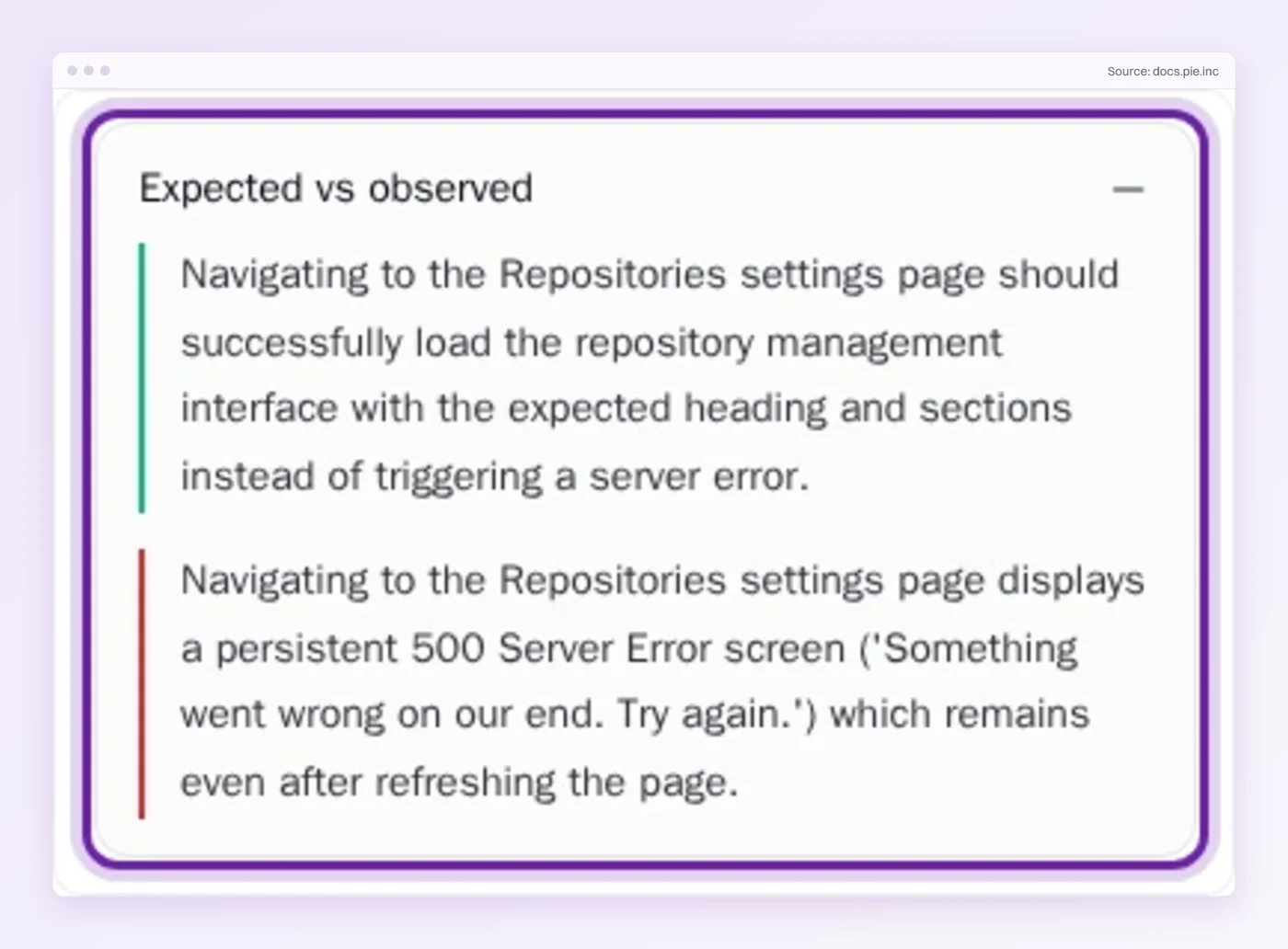
@pie-pr-bot teston GitHub or/pieon GitLab to test the change. Pie runs a web app against the pull request’s preview URL, and a mobile app against an uploaded build. - Read the failure: Pie groups related findings into issues, and an issue’s Expected vs observed card sets what the test expected beside what Pie saw.
Trust the Test You Did Not Touch
Unit tests tell you a function does what its test says. Regression tests tell you the product does what it did yesterday. In the example the first was true and the second was not, and the only thing that disagreed was a test nobody had edited.
Keep the tests that guard your logic small and fast, and keep re-running every test that guards behavior a customer relies on. Both jobs go through the same command.
The tests you rewrite agree with the code. The ones you leave alone agree with the user.
Your Unit Tests Plus Pie
Hand the app-level checks to Pie. Your unit tests stay yours.
Frequently Asked Questions
Eight years building search and delivery systems at Amazon. The kind of scale where flaky tests block billion-dollar releases. Now CTO at Pie, building AI agents that adapt when your UI changes. LinkedIn →