What Is a Regression Bug? How to Find the Change That Broke It and Keep It Fixed
A regression bug looks like any other bug until you ask when it last worked. Find the commit behind one in a few checks, then pin the fix with a test.

Your checkout charged shipping on an order of exactly $50 this morning. Free shipping starts at $50, it worked last week, and the change that broke it could be any commit since.
A bug that worked last week is a regression bug, and the first question to ask of it is when it last worked. Here is how to confirm you have one and find the commit behind it, for whoever triages the report.
What you’ll learn
- What makes a bug a regression, and what does not
- Three questions that separate a regression from a new bug or a flaky failure
- A git bisect run on a small repo we built, with the commands and output
- What a regression report should contain
- How to pin the fix with a test that fails first
What Is a Regression Bug?
A regression bug is a defect in behavior that used to work and stopped working after a later change to the code, the configuration or a dependency. The behavior was correct once, and that history is what sets it apart from every other bug.
The Linux kernel project applies the same test. Its reporting guide calls something a regression when a use case that ran fine on one kernel version works worse or not at all on a newer one. A slowdown counts too, so a page that still loads but loads far slower than last release has regressed.
The same symptom can belong to a new bug or to a regression, and the screen will not say which. A bug in a feature that shipped yesterday is a new bug. If the feature worked for a year and broke on Tuesday, it is a regression. Regression testing is the practice built to catch these before customers do.
How Do You Tell a Regression From a New Bug or a Flaky Failure?
Three questions sort a failure into the right bucket, and the order matters.
- Repeats: Run the same steps on the same build several times. A failure that comes and goes on one build is flaky, so fix the test or its environment before you go looking for a commit.
- Worked before: Find a release, a build or a passing run from earlier. With none to point to, you have a new bug or one that was always there.
- Changed on purpose: Check the ticket history for a decision to change the behavior. If someone meant to change it, the expectation is stale and nothing is broken.
It is a regression when it worked before, fails every time now, and nobody meant to change it.
| Kind of failure | Same build, same steps | Worked before | Where the fix starts |
|---|---|---|---|
| Regression bug | Fails every time | Yes, on a known build | The change that broke it |
| New bug | Fails every time | No, never worked | The code that was just written |
| Flaky failure | Passes some runs | Passes on this same build | The test, its data or its environment |
| Intended change | Fails every time | Yes, but it was changed on purpose | The expectation in the test or the spec |
The repeat check is the one people skip, and a script makes it cheap. A flaky test gives different answers on identical code, so one failure tells you little until you have run it again.
We built a small repo to show every step in this post, and ran it on Git 2.52 and Node 22. It is a checkout module with 14 commits and a v1.0 tag at commit 3. In v1.0 an order of exactly $50 ships free. On the newest commit the same order is charged $5 shipping. A short script builds that order and exits with 1 when the total is wrong, and we ran it five times on the newest commit and five times on the tag.
// repro.js: an order of exactly 50 dollars ships free, so the total is 50 plus 8% tax.
const { total } = require('./cart');

const got = total([{ price: 25, qty: 2 }]);
const want = 54;

if (got !== want) {
  console.error(`FAIL: expected ${want}, got ${got}`);
  process.exit(1);
}
console.log('ok');
$ git checkout -q main && for i in 1 2 3 4 5; do node repro.js; done
FAIL: expected 54, got 59
FAIL: expected 54, got 59
FAIL: expected 54, got 59
FAIL: expected 54, got 59
FAIL: expected 54, got 59
$ git checkout -q v1.0 && for i in 1 2 3 4 5; do node repro.js; done
ok
ok
ok
ok
okFive failures at one end and five passes at the other, with no variation inside either, is how a regression looks. A flaky failure would have flipped on one end.
How Do You Find the Change That Caused a Regression?
Bisect the history. You give Git a good commit and a bad one, and it checks out the commit in the middle for you to test. Each answer discards half the range.
It is the move you make when a browser misbehaves and you switch off half your extensions, then half of what is left. In the Git manual’s own example, 675 revisions left to test come out at roughly 10 steps. With a check script, Git can run the search itself, and it reads the script’s exit code as the verdict.
- 0: Git marks the commit good.
- 1 to 127, except 125: Git marks it bad.
- 125: Git skips it, because it cannot be tested.
Any other code stops the search. Our script is three lines, and it first confirms the file parses before it runs the repro. Keep it outside the history you are searching, untracked in the repo root, because older commits do not contain it and Git leaves untracked files alone as it moves between commits.
#!/bin/sh
node --check cart.js || exit 125
node repro.js
$ git bisect start HEAD v1.0
Bisecting: 5 revisions left to test after this (roughly 3 steps)
[d2989fb765204545318ad1dfb3a3d2dac62a4b6b] Hold money in whole cents to stop float drift
$ git bisect run sh check.sh
running 'sh' 'check.sh'
FAIL: expected 54, got 59
Bisecting: 2 revisions left to test after this (roughly 1 step)
[7fd7891ae60554c0be7f52fb131d6213d82cf51f] Add README
running 'sh' 'check.sh'
ok
Bisecting: 0 revisions left to test after this (roughly 1 step)
[af1ccb71bbb053a2e904479893e689cfb7763844] Finish gift wrap fee
running 'sh' 'check.sh'
ok
d2989fb765204545318ad1dfb3a3d2dac62a4b6b is the first bad commit
commit d2989fb765204545318ad1dfb3a3d2dac62a4b6b
Author: Scratch Author <scratch@example.com>
Date: Sun Oct 18 10:00:00 2026 +0530
Hold money in whole cents to stop float drift
cart.js | 29 ++++++++++++++++-------------
1 file changed, 16 insertions(+), 13 deletions(-)
bisect found first bad commitThe range held 11 commits after the tag, and Git named the culprit after three checks. git bisect reset returns you to the branch you started on.
One commit in that range is a work-in-progress that does not parse. Git never landed on it in this run, so we ran the check on it by hand, and it exits with 125, the code that tells Git to skip it.
The culprit’s message says nothing about shipping. Its author was fixing float drift. Money moved from dollars to cents, and one comparison turned from at-least into more-than along the way. The line that matters, before and after:
-  return sub >= FREE_SHIPPING_AT ? 0 : SHIPPING;
+  return sub > FREE_SHIPPING_CENTS ? 0 : SHIPPING_CENTS;
This regression traveled inside a change that looked unrelated to the symptom, which is why a search beats reading commit messages. Three limits apply to the search.
- Flaky checks: Bisect trusts your check, so a flaky one marks a good commit bad and sends the search the wrong way. Run the repeat test from the last section first.
- Merge-heavy history:
git bisect start --first-parentfollows only the first parent at each merge, so the search names the merge instead of a commit inside the branch. - Causes outside the repo: A dependency, a flag or an environment change needs the same halving over that list of versions or settings.
Is It a Real Bug?
Check what a test expected against what it saw. Your team makes the call.
What Should a Regression Bug Report Contain?
A regression report names two builds as well as a symptom, the last one that worked and the first one that failed. The Linux kernel project asks for the same pair, and for a subject line that starts with [REGRESSION].
- Last good build: The release, build or commit where the behavior worked, and how you know.
- First bad build: The earliest build where you saw it fail.
- Steps: The shortest sequence that reproduces it, run enough times to say how often it fails.
- Expected and observed: What should have happened beside what did, with a screenshot or log line.
- Environment: The device, browser, account and data in play.
- Culprit commit: The commit, with its message, if you bisected.
For the checkout bug the report is short. It names v1.0 as the last good build and d2989fb, “Hold money in whole cents to stop float drift”, as the first bad one. The steps are one item at $25 with a quantity of 2, and the totals read 54 expected against 59 observed. A report like that gets fixed quickly, because the developer starts from the change and not from a guess.
How Do You Stop the Same Regression From Returning?
Pin it with a test that fails on the broken code and passes on the fix, and commit the test with the fix. A test that has never been seen failing has not proved it checks the bug.
Write the test first and run it on the broken code. Ours has two cases. One is the failing order, and the other guards the far side of the edge, an order just under $50 that still pays shipping.
const test = require('node:test');
const assert = require('node:assert');
const { total } = require('../cart');

test('an order of exactly 50 dollars ships free', () => {
  assert.strictEqual(total([{ price: 25, qty: 2 }]), 54);
});

test('an order just under 50 dollars pays 5 dollars shipping', () => {
  assert.strictEqual(total([{ price: 49.99, qty: 1 }]), 58.99);
});
On the broken code, the first case fails and the second passes. After a one-character fix, both pass. The output below is trimmed to the lines that matter.
$ node --test test/free-shipping.test.js
not ok 1 - an order of exactly 50 dollars ships free
  expected: 54
  actual: 59
ok 2 - an order just under 50 dollars pays 5 dollars shipping
# tests 2
# pass 1
# fail 1

$ git diff cart.js
-  return sub > FREE_SHIPPING_CENTS ? 0 : SHIPPING_CENTS;
+  return sub >= FREE_SHIPPING_CENTS ? 0 : SHIPPING_CENTS;

$ node --test test/free-shipping.test.js
ok 1 - an order of exactly 50 dollars ships free
ok 2 - an order just under 50 dollars pays 5 dollars shipping
# tests 2
# pass 2
# fail 0
The second case matters because a careless fix, one that makes every order ship free, would pass the first case alone. Pinning both sides of the boundary keeps the fix honest.
The pinned test then joins your regression suite and runs whenever the suite does. Once a bug has bitten, it is a strong candidate to automate, because you already know what it costs when it returns.
How Pie Helps You Decide an Issue Is a Real Bug
Pie is an agentic testing platform that reports an issue when your app does not behave the way a test expected. The cause may be a real bug or a change you made on purpose, and sometimes it is noise from test data or a login. The evidence for each call sits on the Issues page.
- Expected vs observed: The issue card shows what the test expected and what Pie saw, with the steps and screenshots that led there.
- Where Pie saw this: The affected test cases and the runs that hit the issue, with a first-seen time that gives you a date to start the search from.
- Track it: Track the issue and Pie builds a repro test, then re-checks the issue on every future run.
- Looks resolved: Once the repro test stops finding the bug, the issue says so and you close it.
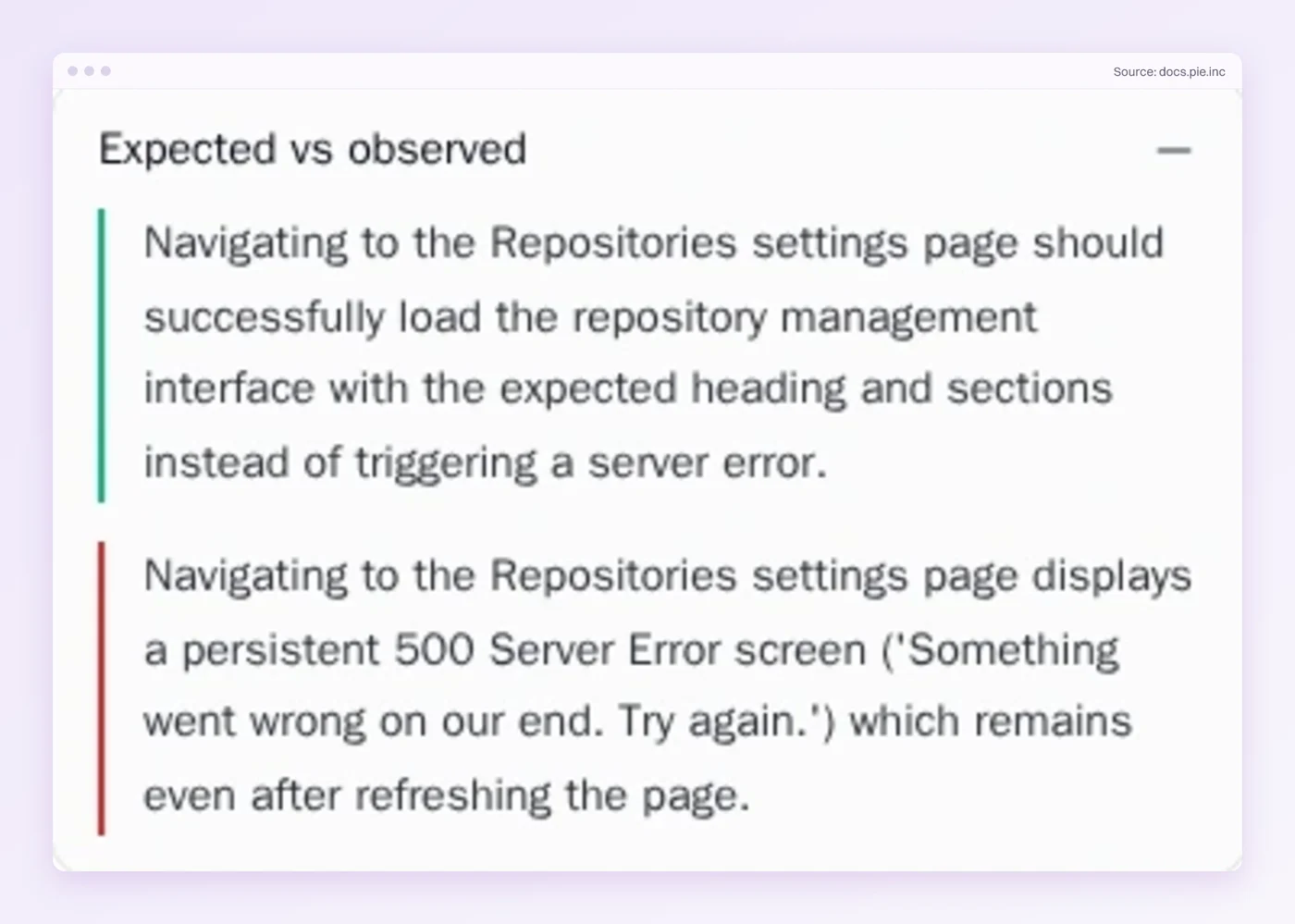
Run history makes the repeat check from earlier easy, since an issue seen once and never again is more likely noise and one that repeats across runs is more likely a real bug. Pie supplies the evidence, and your team makes the call because it knows what the flow should do. Found a bug yourself? Investigate app issue logs it and Pie tries to reproduce it in the background.
Ask When It Last Worked
Every step above hangs on one question. A regression report that carries the last good build has edges, so the search for the cause is mechanical. One without it is a guess with a bug attached. The date costs nothing to write down while the failure is fresh, and it is hard to rebuild three weeks later.
Which of your last five bug reports said when the feature last worked?
Get a Date to Search From
See when Pie first saw each issue. Your team decides what ships.
Frequently Asked Questions
Spent a decade in B2B SaaS sales before building Pie. Now obsessed with helping engineering teams ship without the fear of breaking things. LinkedIn →