What Is a Test Automation Framework? Types, Examples, and When to Add Structure
A copied login step turns one button rename into an edit in every file. See what a test automation framework adds, and which structure each symptom calls for.

Your team has a dozen browser tests, and the thirteenth starts life as a copy of the twelfth’s login steps. Then the sign-in button gets a new label, and the fix turns into a search through every file that logs in.
A test automation framework is what turns that search into a one-line edit. Here is how to tell which structure your suite needs now and which it can skip until the symptom shows up.
What you’ll learn
- A plain definition of a test automation framework, and how it differs from a tool
- One login test grown from a script into a structured suite, with code that ran
- The six framework types, and where each one shows up
- Which structure to add at each symptom, and which layer needs which framework
What Is a Test Automation Framework?
A test automation framework is the set of conventions, shared code and tooling that decides how automated tests are written, run and reported. It is the difference between a folder of scripts and a suite a team can extend and repair in one place.
Three layers make one up. A driver controls the app, and a runner finds and executes the tests. A structure layer holds the conventions your team adds on top. The first two usually come off the shelf. You write the third yourself, and it is what people point at when they say a team has a framework.
Most frameworks drive functional tests, a test type that ISTQB defines as one that determines the functional suitability of a test object. Our guide to functional testing software compares the products that run them.
A test automation framework is the driver, the runner and the conventions that let a suite grow without each new test costing as much as the first.
What Each Part Does
Each part has one job, and each maps to a file or a setting you can point at. The last column shows where the part lives in the login suite we build in the next section.
| Part | Job | In the login suite |
|---|---|---|
| Driver | Controls the browser, device or API | Playwright’s browser API |
| Runner | Finds, runs and reports tests | Playwright Test |
| Page objects | Keep each page’s locators and actions in one class | LoginPage |
| Test data | Keeps inputs apart from steps | accounts.ts |
| Shared setup | Brings each test to its starting state | The loginPage fixture |
| Config and reporting | Sets the base URL, retries and report format | playwright.config.ts |
One Login Test, Grown Into a Framework in Three Steps
The fastest way to see what a framework is for is to build the smallest one that pays for itself. We wrote a three-test login suite against a small local demo app and ran every version on Playwright 1.64.1. Each step fixes one annoyance and nothing else.
Start With Three Flat Scripts
The first version has no structure at all. Each test opens the page, fills the form, clicks the button and checks the result. The other two tests repeat these lines with different inputs.
import { test, expect } from '@playwright/test';

test('admin signs in', async ({ page }) => {
  await page.goto('http://localhost:3000/login');
  await page.getByLabel('Email').fill('ada@example.com');
  await page.getByLabel('Password').fill('pw123');
  await page.getByRole('button', { name: 'Sign in' }).click();
  await expect(page.getByRole('heading', { name: 'Welcome back, Ada' })).toBeVisible();
});
Guides call this shape a linear framework. It passes, it is quick to write, and every line of it exists in triplicate.
Step 1: Move Locators Into a Page Object
A copied locator is the symptom, and the cost arrives on the day the app changes. We renamed the button from “Sign in” to “Log in” and ran both versions. Against the flat suite all three tests failed, and the repair meant editing three places. The page-object version failed on all three as well, and the repair was one line.
The framework did not prevent the failure. It moved the repair to a single place. With three tests the saving is small, and it grows with every test that logs in.
import { type Page, expect } from '@playwright/test';

export class LoginPage {
  constructor(private page: Page) {}

  async open() {
    await this.page.goto('/login');
  }

  async signIn(email: string, password: string) {
    await this.page.getByLabel('Email').fill(email);
    await this.page.getByLabel('Password').fill(password);
    await this.page.getByRole('button', { name: 'Sign in' }).click();
  }

  async expectWelcome(name: string) {
    await expect(this.page.getByRole('heading', { name: `Welcome back, ${name}` })).toBeVisible();
  }

  async expectError(message: string) {
    await expect(this.page.getByRole('alert')).toHaveText(message);
  }
}
Step 2: Move Inputs Into Data
Two of the three tests run the same steps for different people. A small data file holds the accounts, and one loop turns each row into a test. Adding a third role now takes one line in the file and no new test. This is the idea behind data-driven testing.
export const accounts = [
  { role: 'admin', email: 'ada@example.com', password: 'pw123', name: 'Ada' },
  { role: 'member', email: 'ben@example.com', password: 'pw123', name: 'Ben' },
];
Step 3: Move Setup and Settings Into a Fixture and a Config
Every test now begins by opening the login page. A fixture does that once and hands each test a ready loginPage. Playwright’s docs describe fixtures as reusable setup that a test requests by name, shared across files and kept isolated between tests.
import { test as base } from '@playwright/test';
import { LoginPage } from './pages/login-page';

export const test = base.extend<{ loginPage: LoginPage }>({
  loginPage: async ({ page }, use) => {
    const loginPage = new LoginPage(page);
    await loginPage.open();
    await use(loginPage);
  },
});

export { expect } from '@playwright/test';
The spec file that remains reads like a description of the behavior. The base URL, retries and reporters live in one config.
import { test } from '../fixtures';
import { accounts } from '../data/accounts';

for (const account of accounts) {
  test(`${account.role} signs in`, async ({ loginPage }) => {
    await loginPage.signIn(account.email, account.password);
    await loginPage.expectWelcome(account.name);
  });
}

test('wrong password shows an error', async ({ loginPage }) => {
  await loginPage.signIn('ada@example.com', 'nope');
  await loginPage.expectError('Wrong email or password');
});
import { defineConfig } from '@playwright/test';
export default defineConfig({
testDir: './tests',
retries: process.env.CI ? 2 : 0,
reporter: [['list'], ['html', { open: 'never' }]],
use: { baseURL: 'http://localhost:3000', trace: 'on-first-retry' },
});Five files now hold the suite, and all three tests pass. Playwright Test supplied the runner and the HTML report out of the box. The structure layer is the part we wrote.
Draft the Login Test in Pie
Describe the flow in a sentence. Review the draft, then run it.
The Six Types of Test Automation Frameworks
The six-type list explains the suite we just built, because each step added one of them. The types stack instead of competing, so a real suite combines several.
| Type | What it is | Where it shows up |
|---|---|---|
| Linear | Flat scripts with no shared code | Our three scripts, and any recorded test |
| Modular | The app split into parts, one script per part | A page object or helper per screen |
| Library architecture | Common actions pulled into shared functions | Login and navigation helpers |
| Data-driven | Inputs held outside the test logic | accounts.ts feeding one loop |
| Keyword-driven | Steps written as named keywords | Robot Framework, whose syntax is built on keywords |
| Hybrid | Two or more of the above in one suite | The finished login suite |
Behavior-driven development sits on top of these as a seventh option. Cucumber’s BDD guide describes writing examples that both people and computers can read, which closes the gap between business and technical people. Add it as a layer on one of the six when non-programmers need to read the tests.
Framework vs Tool:
Where Playwright and Selenium Fit
A tool does one job, and a framework is the structure that organizes tools. Modern runners blur the line, because they arrive with part of the framework already inside.
Selenium sits at the tool end. Its homepage calls it a browser automation tool, and its documentation presents the page object as a design pattern that you write on top of it. Playwright Test sits closer to the middle. It bundles the runner, assertions and parallel execution, and its docs call the page object model one approach to structuring a suite rather than a requirement.
Adopting either one gives you the first two layers, and the drivers and runners are compared in Playwright, Cypress and Selenium, and the wider field in test automation tools. Structure remains a decision, and the next section covers when to make it.
How to Choose a Framework by the Symptom in Front of You
Choosing a framework is easier as a series of small decisions than as one big one. Each structure answers a symptom, and a symptom you do not have yet is a reason to wait.
| Symptom | Add | Skip it when |
|---|---|---|
| Locators are copied across tests | Page objects | One person owns a handful of tests |
| Steps repeat for many accounts or inputs | A data-driven layer | Each case needs different steps |
| Every test begins with the same setup | Fixtures or shared setup | Setup is a single line |
| Non-programmers must write or read tests | A keyword or BDD layer | Every author already codes |
| Failures arrive with no context | A reporter and traces | You run a few tests locally |
The layer you test decides the runner. Pick the language your team already writes, because the structure is code your team will own.
| Layer | Runner and driver | Go deeper |
|---|---|---|
| Unit | JUnit for Java, pytest for Python, Jest for JavaScript | Match your language |
| Web end to end | Playwright, Cypress or Selenium | The comparison above |
| Mobile | Appium, or Espresso on Android and XCUIAutomation on iOS | See mobile frameworks |
Whether to build and keep this structure at all is a cost question, settled in build vs buy terms. Everything above assumes you have decided to own the framework.
Where Pie Sits Next to Your Framework
Pie adds to the framework you have and replaces none of it. Our agentic testing platform takes the end-to-end flows, the layer where the login suite above spent its repairs, and leaves your unit and API tests where they are.
- Tests from a sentence: Describe a flow in Pie Chat and Pie explores it, then drafts a test case with an objective, the steps and what should be verified. You review the draft before it runs.
- No locators to maintain: Test cases describe intent in plain language, such as “click the login button”, so for supported tests nobody writes or maintains selectors.
- Pull request runs: Comment
@pie-pr-bot teston a GitHub pull request, or/pieon GitLab, and Pie tests the change. A web app needs a preview URL and a mobile app needs an uploaded build.
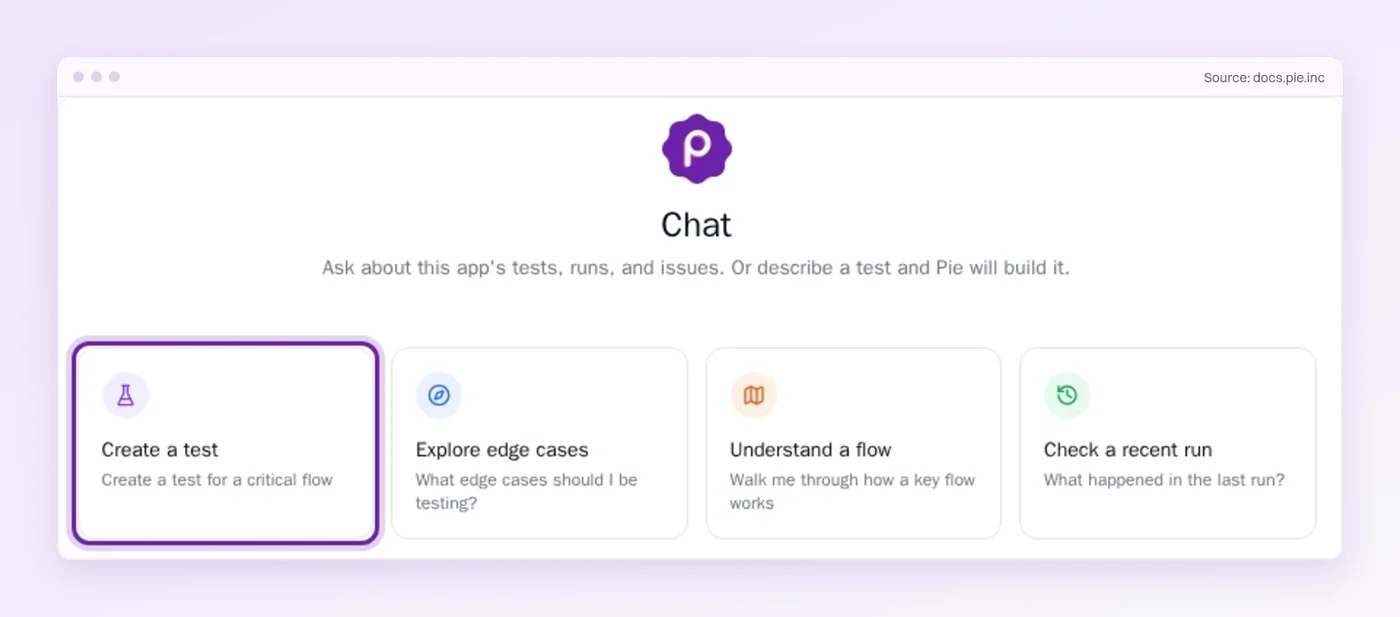
The renamed button from our example sends nobody into a page object here, because there is none to open. Your own framework keeps running next to it.
Add Structure When the Suite Asks for It
The suite in this guide ended with five files and three conventions, and it got there one annoyance at a time. Structure added before its symptom is code you maintain without a payoff.
Some of the work lands on your team anyway. The page object moved the repair from three places to one, and someone had to make that edit. Even with AI writing the tests, the part that still hurts is keeping an ever-growing suite current while the identifiers change. When the next button gets a new name, who opens the page object?
Pie handles that upkeep for your end-to-end flows. Our tests are self-healing, so a renamed button stops being a ticket. Your framework keeps the layers it was built for.
Renamed the Button Again?
Hand Pie the end-to-end flows. Stop chasing labels across files.
Frequently Asked Questions
It combines a driver, a runner and the conventions that decide how a team writes, runs and reports automated tests. No single program gives you all of it.
The structure around your tools keeps a growing suite readable and cheap to change.
A tool does one job, such as driving a browser or running assertions. A framework is the structure that holds tools together, including page objects, shared setup, test data and configuration.
Some tools ship with part of a framework built in, which blurs the line.
Guides list linear, modular, library architecture, data-driven, keyword-driven and hybrid, and some add behavior-driven.
The types stack instead of competing, so a real suite combines several. Page objects, a data file and shared setup make a common shape for a web suite.
Playwright Test bundles a runner, assertions, isolation and parallel execution, so it covers the first half of a framework.
The structure layer, such as page objects and test data, remains yours to write. Playwright's own docs call the page object one approach, not a requirement.
Selenium is a browser automation tool, and it puts no structure on your tests. Its own documentation presents the page object as a design pattern you write on top.
Teams add a runner and conventions to turn Selenium scripts into a framework.
Ten tests can live without one. Add structure when a symptom appears, such as the same locator copied across files or the same steps run for many accounts.
Structure added earlier is code you maintain without any payoff yet.
Start from the layer you test and the language your team already writes. Then add page objects, data files and shared setup as each symptom shows up.
Weigh who will keep the suite working, because the upkeep outlasts the setup.
No. Pie adds to a framework and does not replace it. Your unit tests, API checks and code-level end-to-end tests stay where they are.
Pie explores your app and writes tests for the end-to-end flows, with no locators to maintain for supported tests.
Spent a decade in B2B SaaS sales before building Pie. Now obsessed with helping engineering teams ship without the fear of breaking things. LinkedIn →